Features · Therapist Matching
Match every new client to the right clinician
Your intake team stops guessing who has room and who is the right fit. Prospective clients can find a good-fit clinician on your website, and book an intake call with them.
Real examples
See it on a real practice website
These are live. Click one to try it yourself.
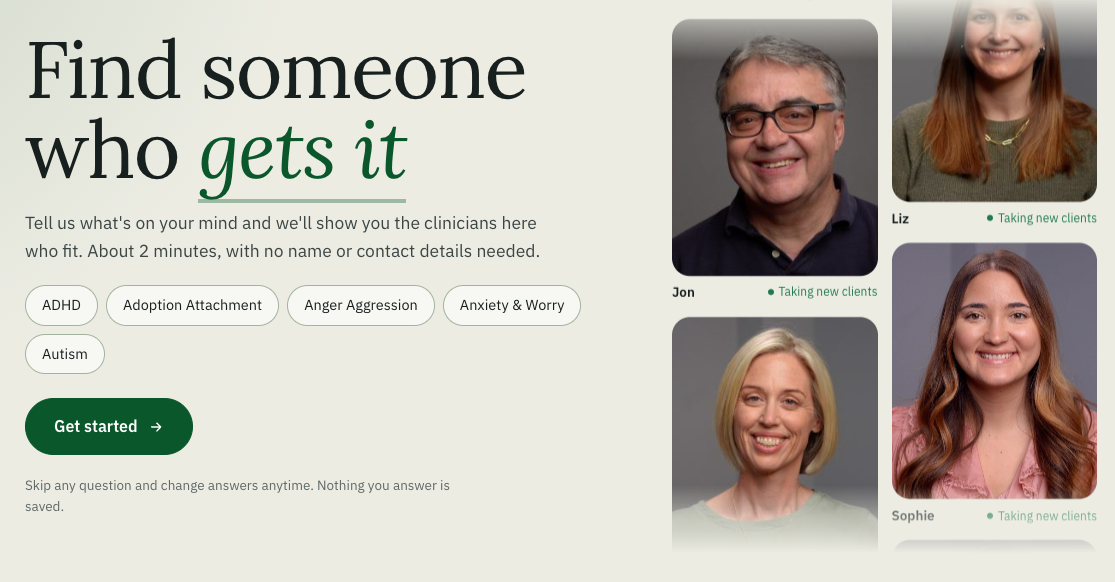
Find Your Therapist, at Kid Matters Counseling
Visitors answer a few questions about what they're looking for, and see the clinicians who fit.
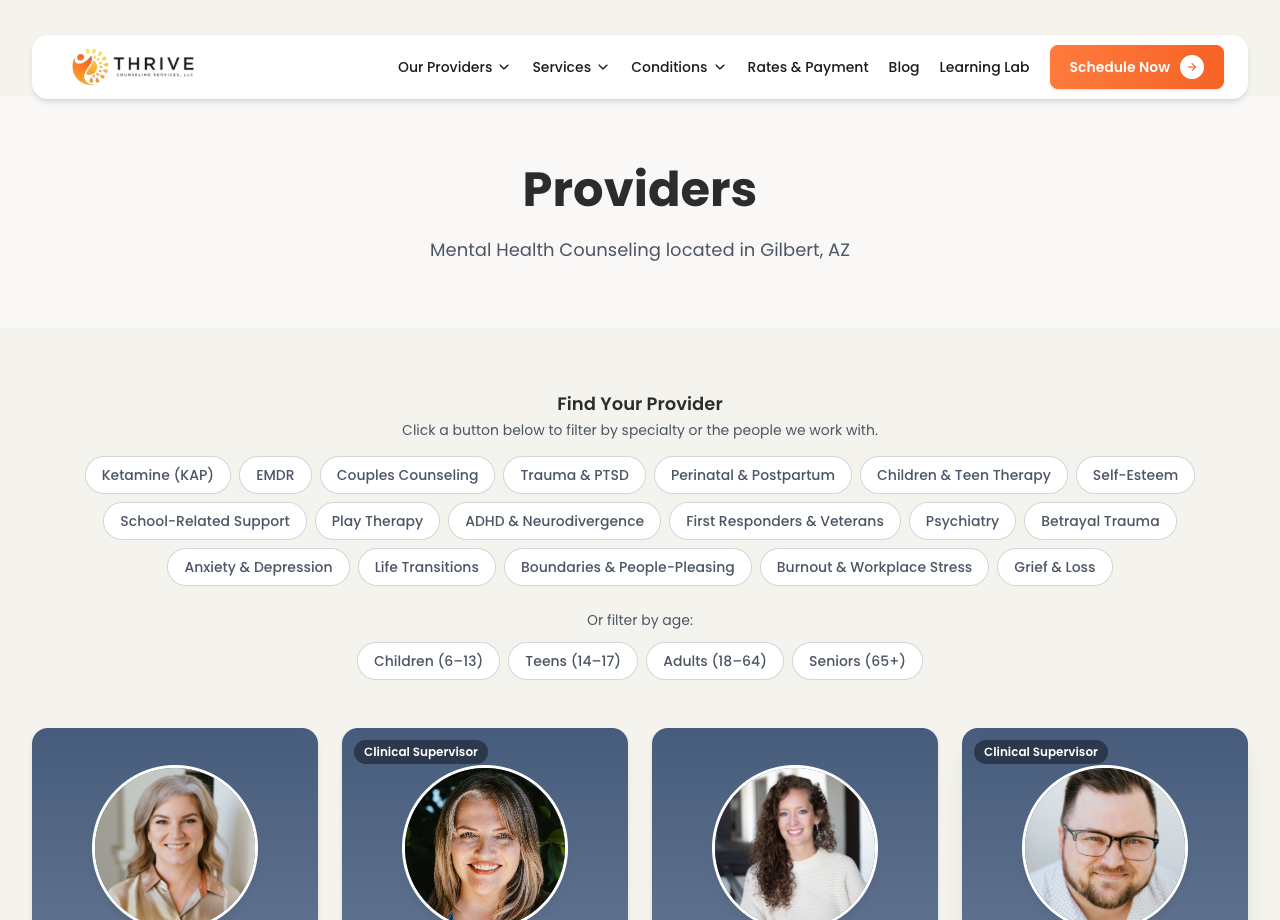
Therapist filters, at Thrive Counseling
Visitors filter the team by specialty and age. Intake coordinators use the same filters while helping callers.
Find a fit in three clicks
Choose what the client needs, who they are, and how they want to meet. The list narrows as you go.
Find the right clinician for a new client
Interactive example · sample data
What do they need help with?
Who is the client?
How do they want to meet?
5 of 5 clinicians are a fit
- Book intake call
Dr. Rivera
Anxiety, Trauma · Adults · In person, Telehealth
- Book intake call
Dr. Chen
Couples, Anxiety · Adults · Telehealth
- Book intake call
Dr. Okafor
Trauma, Anxiety · Teens, Adults · In person
- Book intake call
Dr. Walsh
Anxiety · Children, Teens · In person, Telehealth
- Book intake call
Dr. Patel
Couples, Trauma · Adults · In person, Telehealth
This is a simplified example with made-up data, so you can see how it works. On a demo call we show you the real thing with your own intake process.
The problem it solves
The problem: Your intake coordinator keeps every clinician's specialties, age ranges, and openings in their head.
With TheraSaaS: Each clinician has a profile, and the match tool suggests who fits.
The problem: A poor match means a client who doesn't come back, and a clinician with the wrong caseload.
With TheraSaaS: Clients are matched on specialty, age range, location, and availability.
The problem: Website visitors scroll through a long team page, give up, and call a practice that makes it easier.
With TheraSaaS: They answer a few questions and see the clinicians who fit, with a way to book.
How it works
- 1
Build your clinician profiles
Specialties and approaches, ages served, in-person or telehealth, and current availability or a scheduling link.
- 2
Turn on matching
Choose the criteria that matter to your practice. Limit suggestions to certain programs or locations if you need to.
- 3
Put it to work
Your intake team uses it on calls. On your website, the chat assistant suggests clinicians and offers a booking link.
What you get
Clinician profiles
One place for specialties, ages served, locations, and availability.
Matching for your intake team
Find a fit while you're on the phone with a new client.
Matching on your website
The chat assistant suggests clinicians to visitors, any time of day.
Booking links
Send people to an intake call or a first session, by clinician, team, or location.
Separate flows by program
For example, adult counseling and child counseling route differently.
Your voice
Set the greeting and tone so it sounds like your practice.
The matching filter built into your website is part of Premium Therapy Websites. Ask us which setup fits your plan. See pricing
Questions practice owners ask
What does it match on?
Does the website assistant collect health information?
What do I need to set it up?
Can it book into my own scheduler?
See therapist matching in a live demo
Bring your current intake process to a 40-minute demo. We'll map it to TheraSaaS live.
Schedule Demo