Features · Waiting Room Check-In
Your clinician knows the moment a client arrives
A client opens the check-in page, enters their name, and picks who they're here to see. That clinician gets a text right away. No front desk required.
Brent demonstrates the check-in experience.
Real examples
See it on a real practice website
This one is live. Click it to try it yourself.
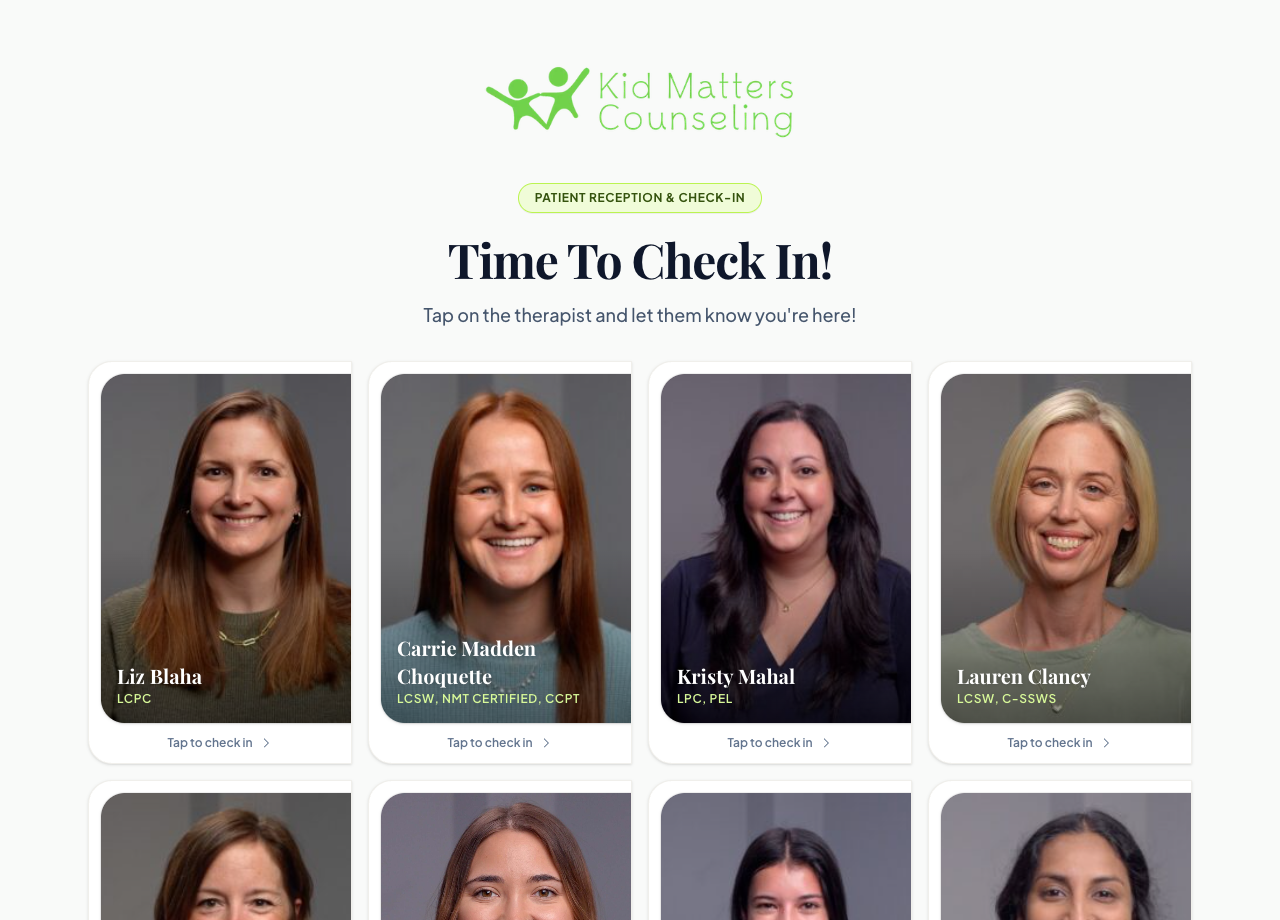
Kid Matters Counseling's check-in app
Clients tap their therapist's photo to check in. This designed version is part of Premium.
Check in the way a client would
Pick a name and a clinician, then check in. Watch the clinician's phone.
Check in from the waiting room
Interactive example · sample data
1. The client enters their first name
2. They pick who they're here to see
The clinician's phone
Pick a name and a clinician, then check in. Only that clinician gets the text. Nobody at the front desk has to walk down the hall.
This is a simplified example with made-up data, so you can see how it works. On a demo call we show you the real thing with your own intake process.
The problem it solves
The problem: There's no front desk, so clients sit in the waiting room wondering if anyone knows they're there.
With TheraSaaS: They check in themselves, and their clinician is told by text.
The problem: Clinicians step out between sessions to look for their next client, or run late without knowing.
With TheraSaaS: The text says who has arrived, by first name.
The problem: Your admin gets interrupted every hour to walk down the hall and announce arrivals.
With TheraSaaS: The right clinician is notified automatically. Nobody relays the message.
How it works
- 1
We set up your check-in form
A short form with the client's name and a list of your clinicians, in your branding.
- 2
Put it where clients can reach it
Add it to a page on your website, and post a QR code in the waiting room that opens it.
- 3
Each clinician gets their own alert
When a client picks a clinician, a text goes to that clinician's phone: "Jordan is waiting for you in the lobby."
What you get
A branded check-in form
Your logo, colors, and welcome message.
A text to the right clinician
Each clinician has their own alert, sent to their own phone.
The client's first name in the message
So the clinician knows who has arrived.
A QR code for the waiting room
Clients scan it with their phone to open the check-in page.
Easy to update
Add or remove a clinician when your team changes.
A designed check-in page on Premium
Clinician photos and names, in your branding. Clients tap their therapist.
Check-in is included on every TheraSaaS plan. A designed check-in page with your clinicians' photos is part of Premium. See pricing
Questions practice owners ask
Do clients need to download an app?
How does the clinician find out?
What information does the client enter?
Is it included in my plan?
See waiting room check-in in a live demo
Bring your current intake process to a 40-minute demo. We'll map it to TheraSaaS live.
Schedule Demo