Previous site
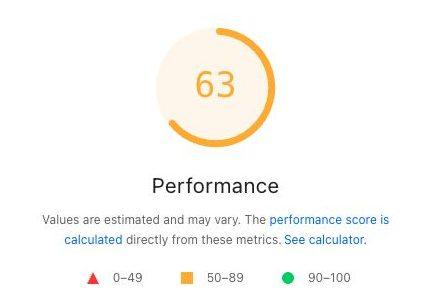
63
Mobile Performance
November 13, 2026, 12:42:05 PM CT
Case Study
A Boulder, Colorado psychology group, at 2595 Canyon Blvd, STE 205, rebuilt so a new client can find a psychologist, see what a session costs, and start toward an appointment. These pictures are pre-launch staging, captured November 13, 2026, while the public site was still the old Squarespace site.
Rebuilt from
Squarespace
The previous practice site
This record
Pre-launch
Staging, November 13, 2026
Page Speed
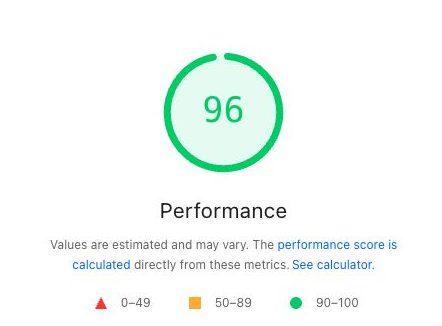
Both figures are the PageSpeed Insights mobile Performance score, run on November 13, 2026. The previous Squarespace site scored 63 at 12:42:05 PM CT. The pre-launch staging build scored 96 at 12:43:03 PM CT. The 96 is from staging, before launch. This section shows that Performance score only.
Previous site
63
Mobile Performance
November 13, 2026, 12:42:05 PM CT
Pre-launch staging
96
Mobile Performance
November 13, 2026, 12:43:03 PM CT
Staging build, before launch.
Before & After
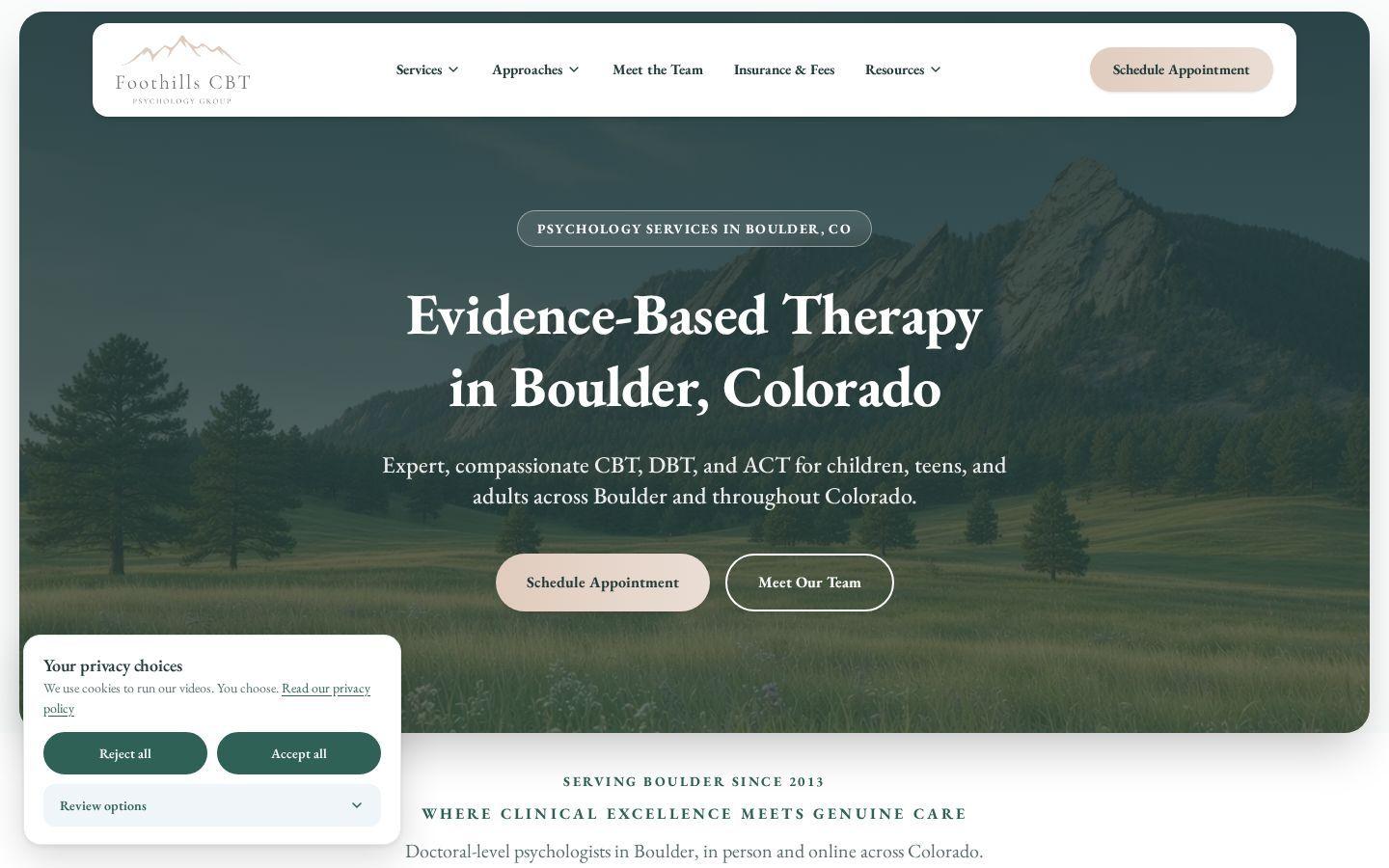
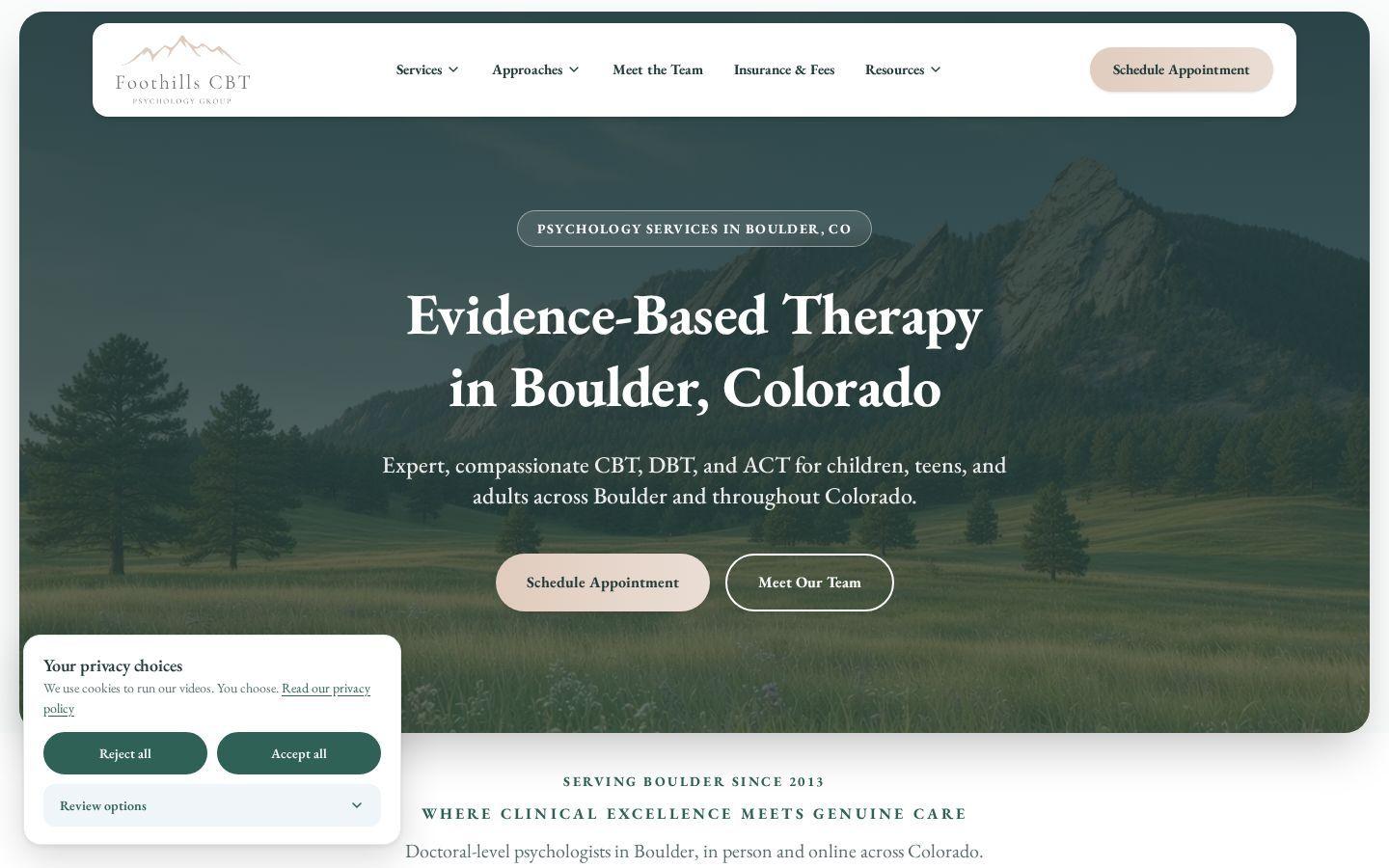
Drag each slider. The left side is the old Squarespace site, captured November 10, 2026. The right side is the new design on pre-launch staging, captured November 13, 2026. The privacy banner was left open on purpose.
The problem
The first screen had no button above the fold. Header links went to services, contact, and specialties, not one appointment request. The original logo was not in that white header bar.
What changed
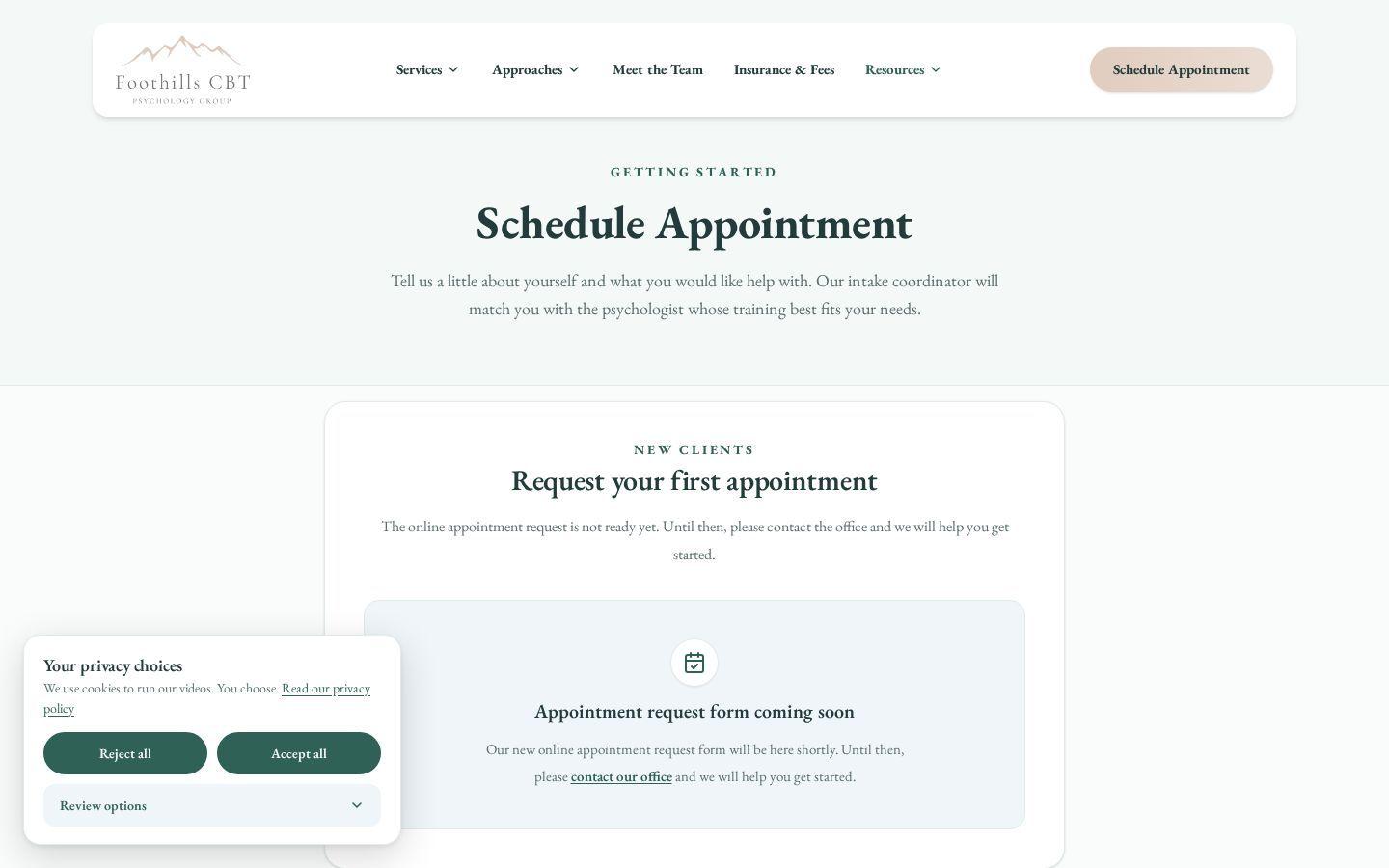
Built into TheraSaaSThe header and the hero both lead with Schedule Appointment, and the original mountain logo is back. The header sits just below the top edge, then docks to the top as you scroll. Those buttons go to the appointment page, which is the destination for the TheraSaaS form.
In these pictures, the appointment page still says the online request is not ready yet, and the form is coming soon.

Appointment page on staging
The problem
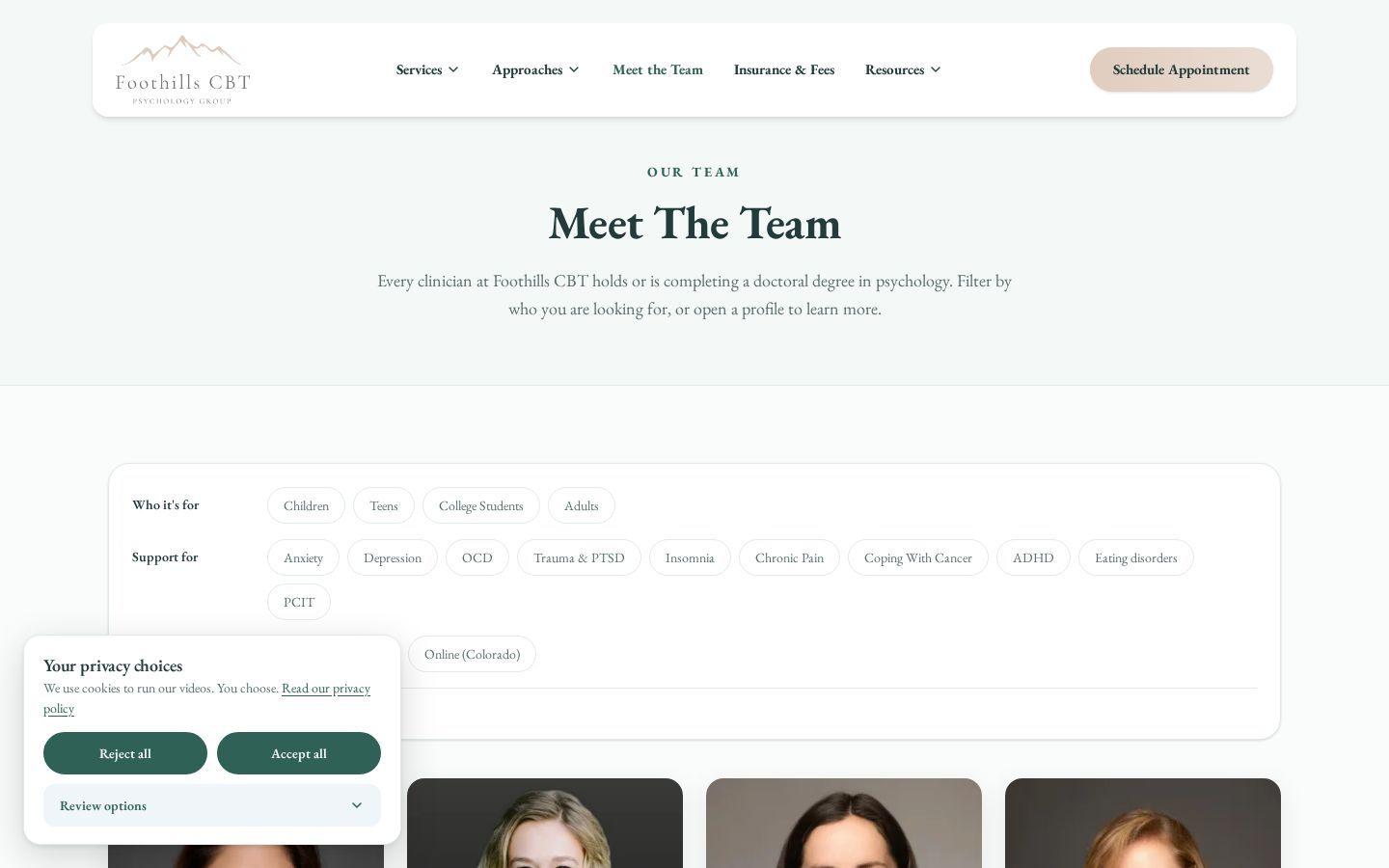
The old team page was a banner and a row of photos. There was no way to filter by who a therapist sees or what they treat.
What changed
Filters cover who it’s for, including children and teens, what they help with, including trauma, and in person in Boulder or online in Colorado. The default view on this capture is 8 of 8 clinicians. Trauma & PTSD narrows it to 7 of 8, with Show all to reset.
Dani Seibert is listed separately as the intake coordinator, not in the clinician grid. The privacy banner in the picture was left in its starting state, so it covers part of the format chips.

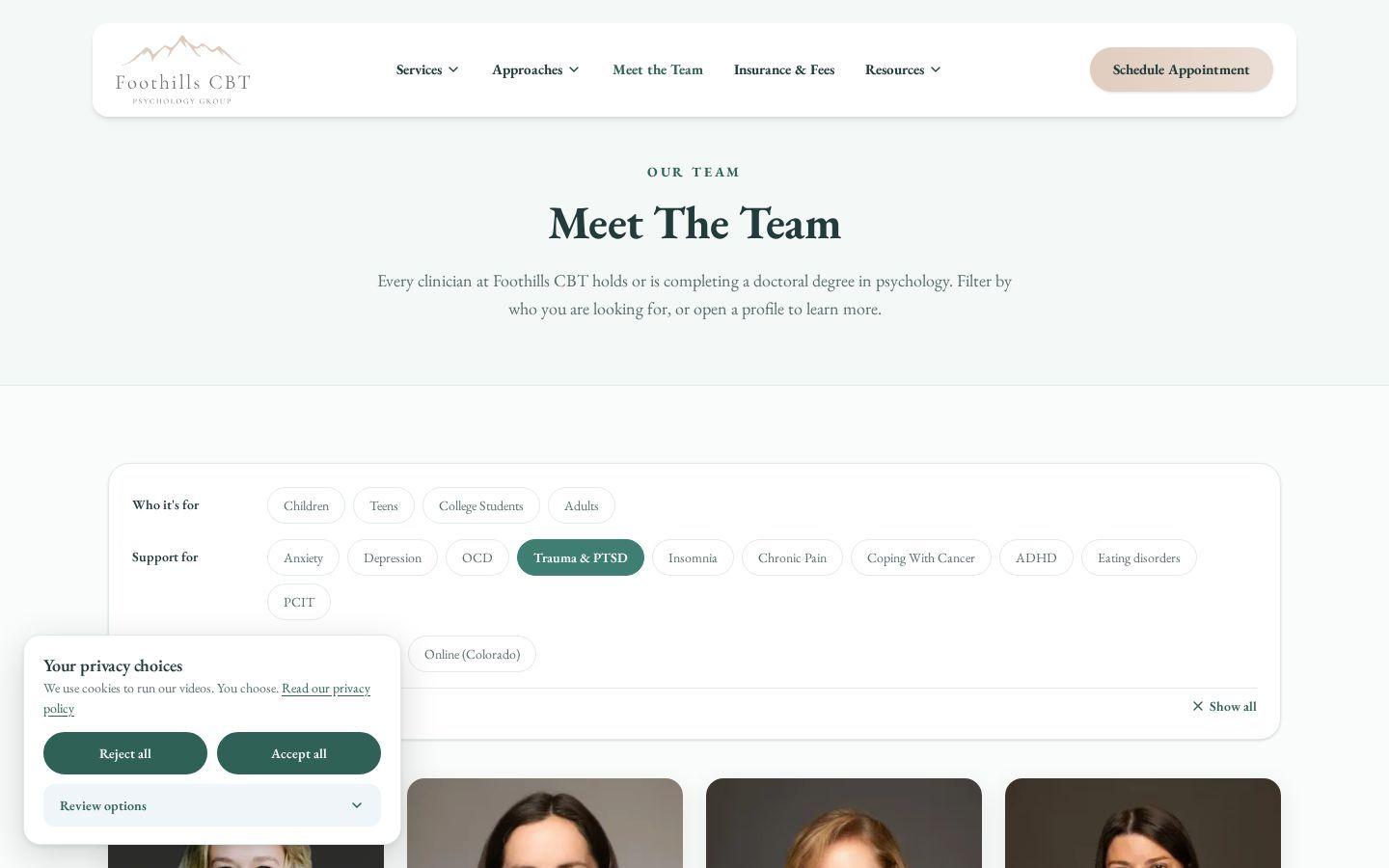 Trauma & PTSD selected
The problem
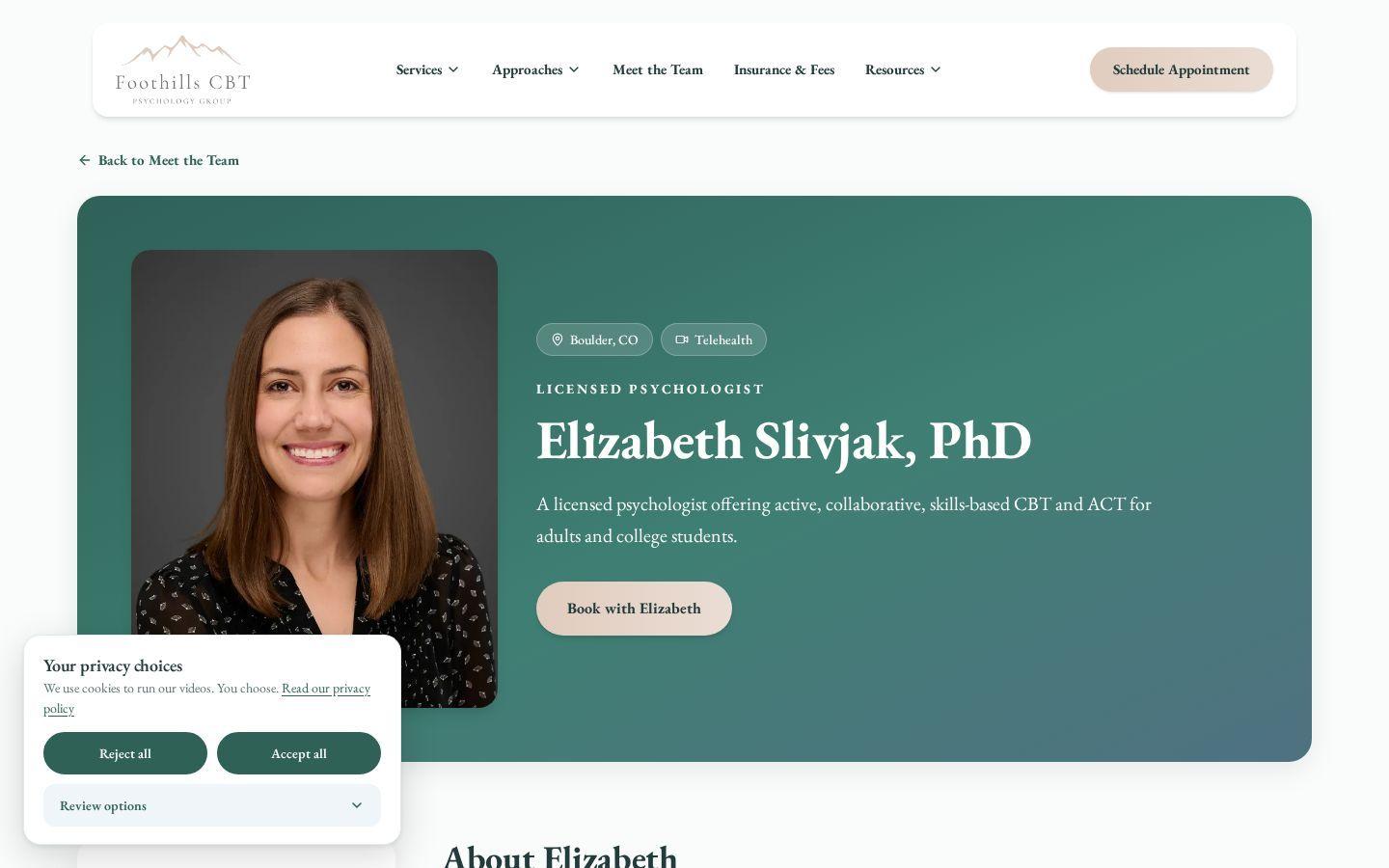
Her old page led with a photo, the title Psychologist, and Contact Us. License and publication details were not part of that first screen.
What changed
Built into TheraSaaSThe staging profile says Licensed Psychologist, with Book with Elizabeth, which goes to the appointment page. Farther down are education and credentials, specialties, and a Research and Publications list with links to her papers.
Book with Elizabeth uses the same appointment page that still said the form was coming soon. On this staging capture she is shown as a licensed psychologist.

Research and Publications

The problem
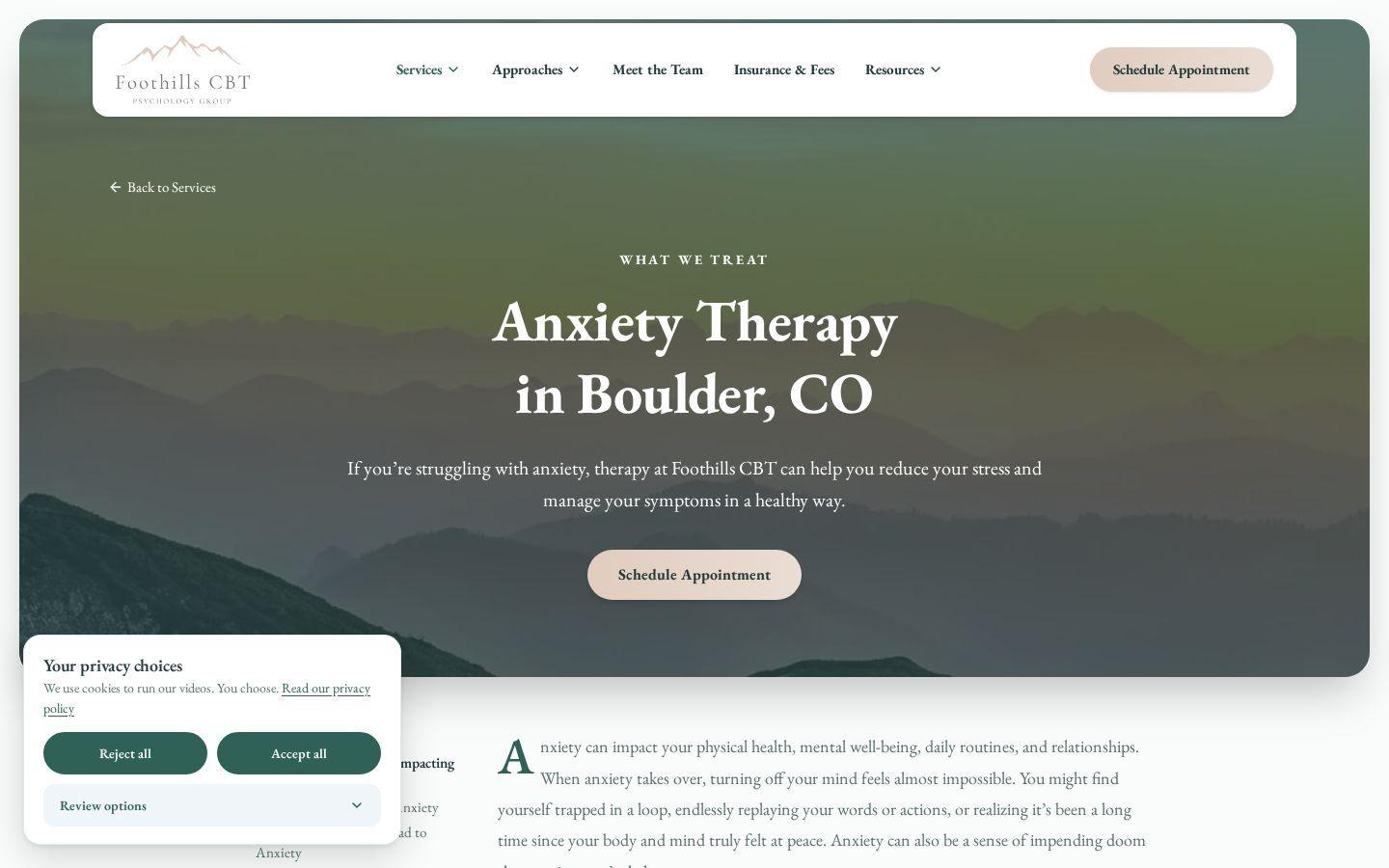
The old anxiety page introduced the service. It did not connect that page to the clinicians’ papers or to the practice blog.
What changed
The staging page adds “Want to go deeper?” cards for scholarly articles, including Elizabeth Slivjak and colleagues’ 2024 scoping review, and “From our blog” cards, including “Why Avoidance Makes Anxiety Worse.” A reader can go further, and the clinicians’ published work sits on the service page, where it can also act as a credibility signal for AI search.
This is the service page checked in detail. The page also cites sources such as NIMH and APA in the body and references.

The problem
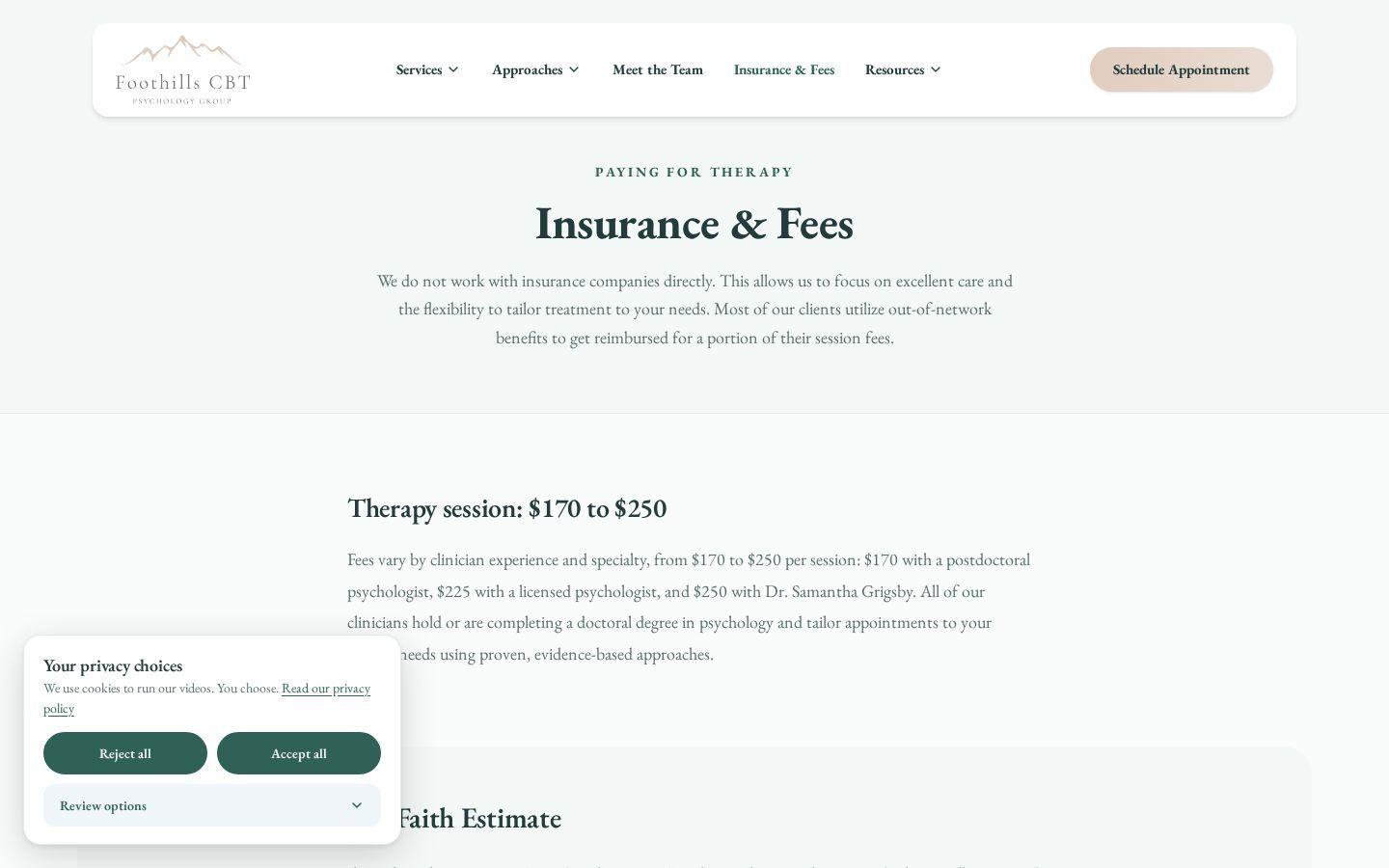
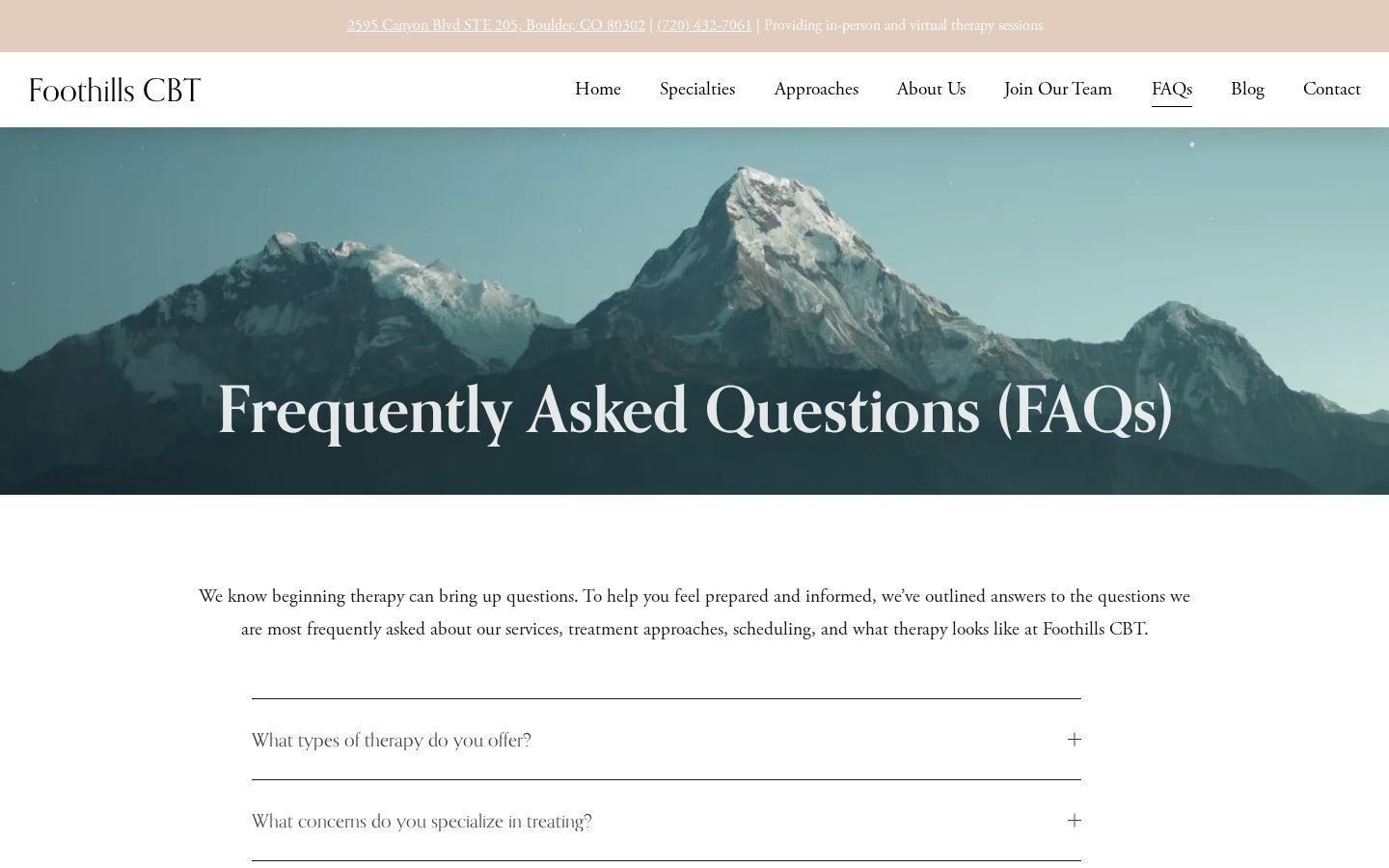
The old site had no insurance or fees page, and no menu item for the money conversation. The practice is private pay. Fees lived in the FAQ, and a Good Faith Estimate page already existed.
What changed
Insurance & Fees is in the header. The page says the practice does not bill insurance directly, that most clients use out-of-network benefits, and that a session is $170 to $250. It covers superbills, checking out-of-network benefits, HSA and FSA, and a Good Faith Estimate section that still links to its own page.
The left side is the old FAQ page. The right side is the new Insurance & Fees page. They are different URLs. On staging, the old FAQ address redirects to the appointment page.
Video Walkthrough
This walkthrough covers the homepage, the consent banner, the restored logo, Insurance & Fees, the therapist filter, a clinician profile, the anxiety page’s papers and blog links, mobile speed, and the floating header. The appointment form was not on the site yet.
Recorded November 13, 2026, while the new site was still on pre-launch staging.
Privacy Built In
The old homepage showed no cookie banner. The staging site adds one: Reject all, Accept all, and Review options, plus a link to the practice’s privacy policy.
1. The previous homepage

2. The new banner, before a visitor chooses
3. Review options

A privacy policy page was already there. A banner was not visible on desktop or mobile.
Reject all, Accept all, and Review options. Cookie preferences in the footer reopens that choice.
Necessary stays on. Functional, Forms, and Videos start off, and the visitor can save a choice.
This is not legal advice, and it is not a claim that any website is compliant. The screenshots show the banner and the options panel. Accept, Reject, and Save were not clicked. Read our guide to website tracking lawsuits and consent and talk with a licensed attorney about your situation.
The Outcome
The staging site puts Schedule Appointment on the first screen, restores the original logo, adds Insurance & Fees, and lets someone filter the team. The mobile Performance score on that pre-launch build is 96, up from 63 on the previous site.
Schedule Appointment is in the header, on the homepage, and on clinician profiles as Book with. That page is the destination for the TheraSaaS form. On this capture the form was still coming soon.
Filters, license lines, and, on six of the eight clinician profiles, a Research and Publications section.
Insurance and fees have their own page in the menu. Reject all sits beside Accept all.
The Rebuild
Samantha Monk Grigsby, PhD, is the clinical director. She founded the practice in 2013. The menu is now Services, Approaches, Meet the Team, Insurance & Fees, and Resources, plus Schedule Appointment. Sessions are in person in Boulder and by telehealth across Colorado.
On this staging capture, the appointment page still said the form was coming soon. The buttons and that page are the destination for the TheraSaaS form.
Staging also includes the Boulder-focused fixes from the October 30, 2026 audit. Lafayette, Louisville, Superior, and Longmont each have a page title of their own. On the old site, Lafayette, Louisville, and Superior still shared the Longmont title as of November 10. The anxiety page is marked up as a service. The duplicate PCIT address redirects to the current parent-child interaction therapy page, and an old breathing-exercises post redirects to the current post. The old specialties address redirects to /psychotherapy-boulder-co/, and the old FAQ address redirects to Schedule Appointment. There is no separate FAQ page on this capture.
Each of the eight clinician profiles shows a Colorado license or candidate-registration number with a link to verify it. Six of those profiles include Research and Publications.
Premium Website Build
TheraSaaS Premium turns your website into a professional, connected part of your client acquisition system. The Foothills comparisons on this page show the pre-launch site.