Clearer first impression
The homepage now uses stronger contrast, clearer buttons, visible authority badges, and a simpler path toward scheduling.
Case Study

From the Thrive team
“I love love love the therapist filters!”
A solid, large therapy practice website rebuilt into a client acquisition system with better therapist discovery, clearer service pages, improved clinician pages, TheraSaaS-connected forms, and SEO preservation.
The Rebuild
Thrive already had a large content footprint, recognizable brand colors, authority badges, and a strong clinical team. The rebuild preserved what mattered, then reorganized the site around how prospective clients actually research care: understand the practice, compare providers, explore services, and submit a TheraSaaS-connected form.
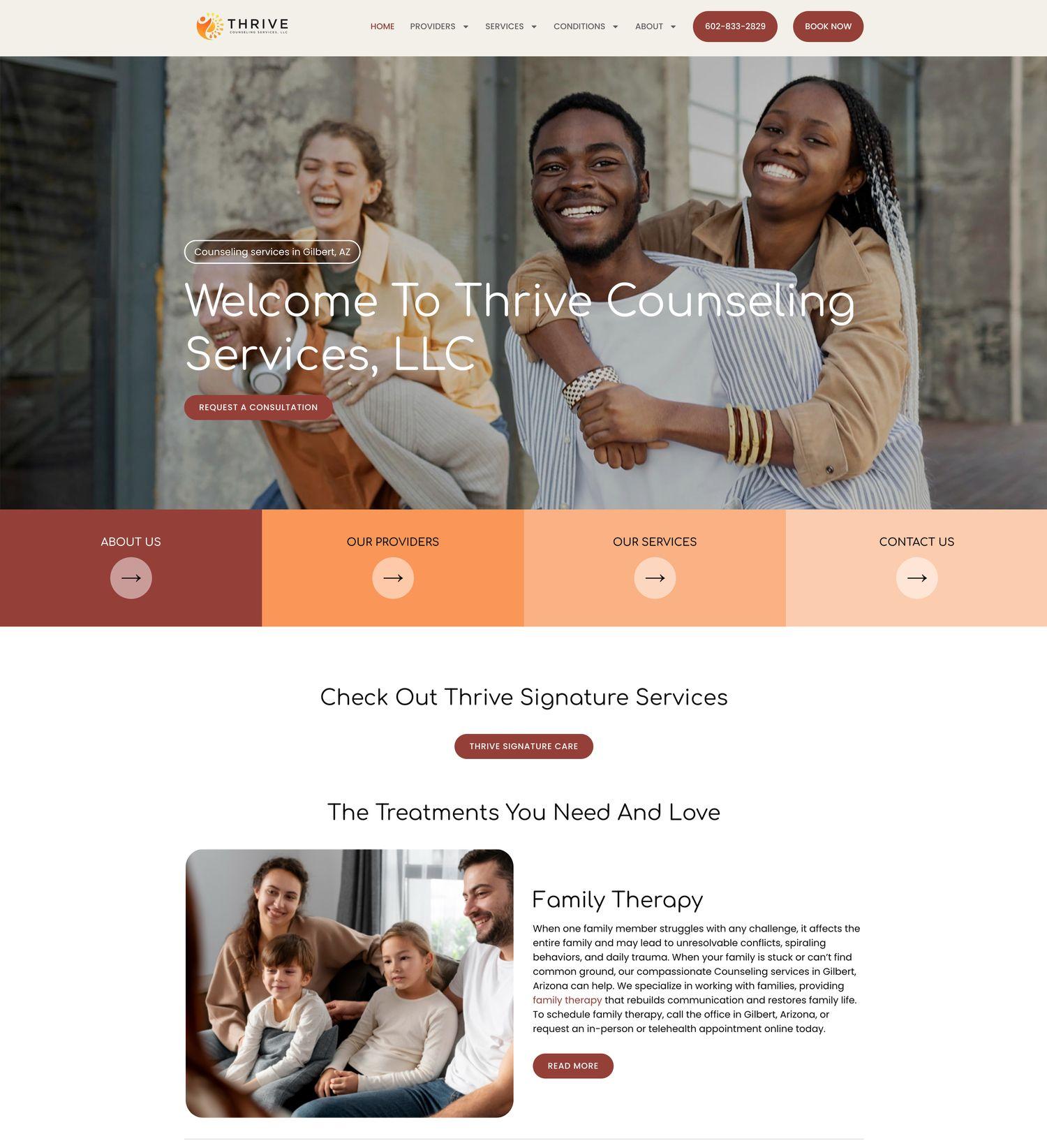
The homepage now uses stronger contrast, clearer buttons, visible authority badges, and a simpler path toward scheduling.
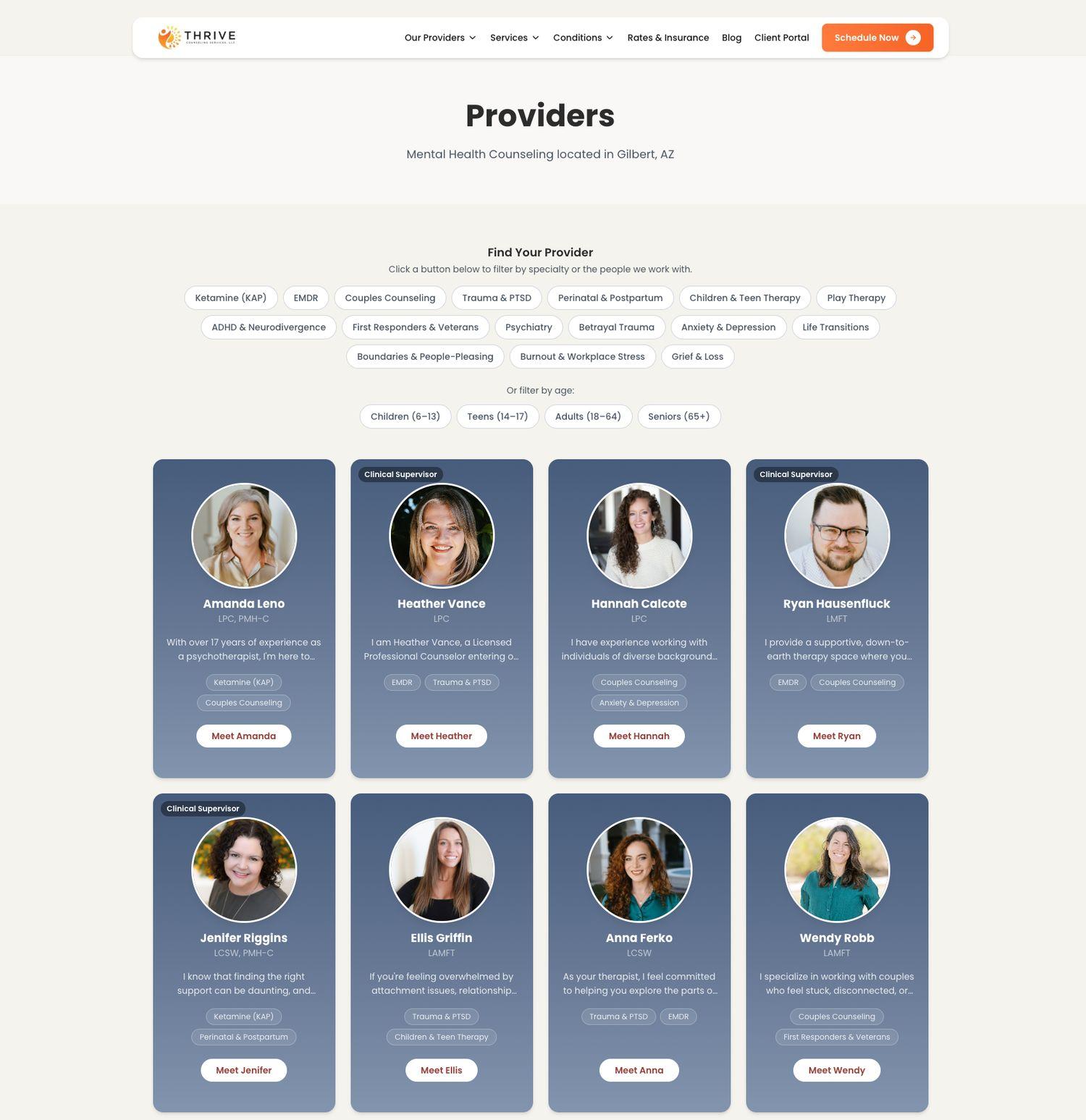
The providers page now helps clients narrow the team by specialty and age group instead of scanning every profile manually.
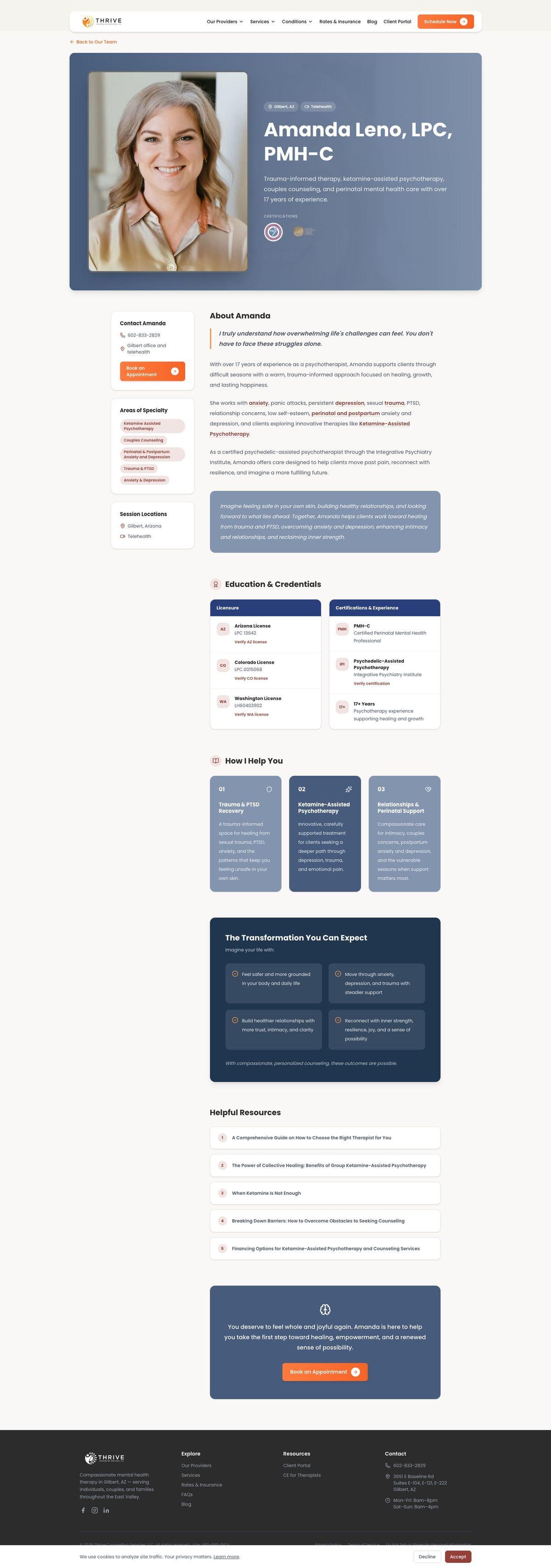
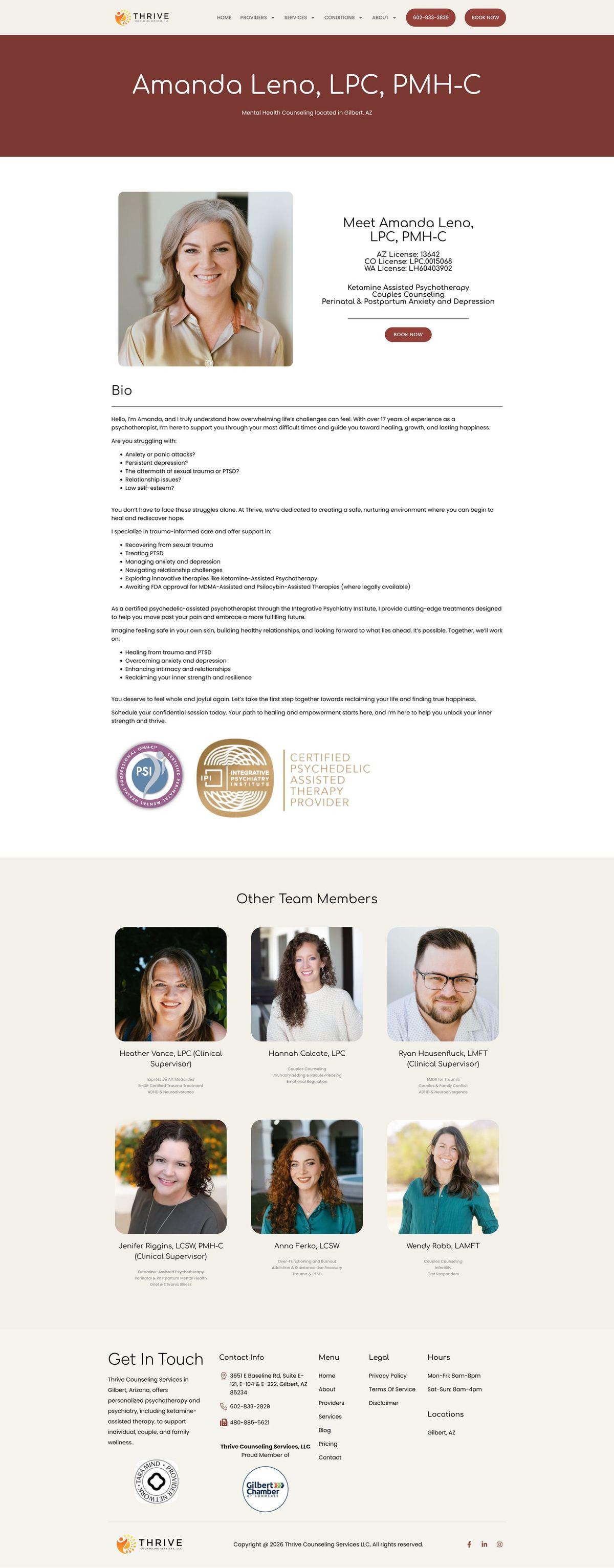
Individual profile pages now make credentials, specialties, therapeutic fit, and next steps easier to understand.
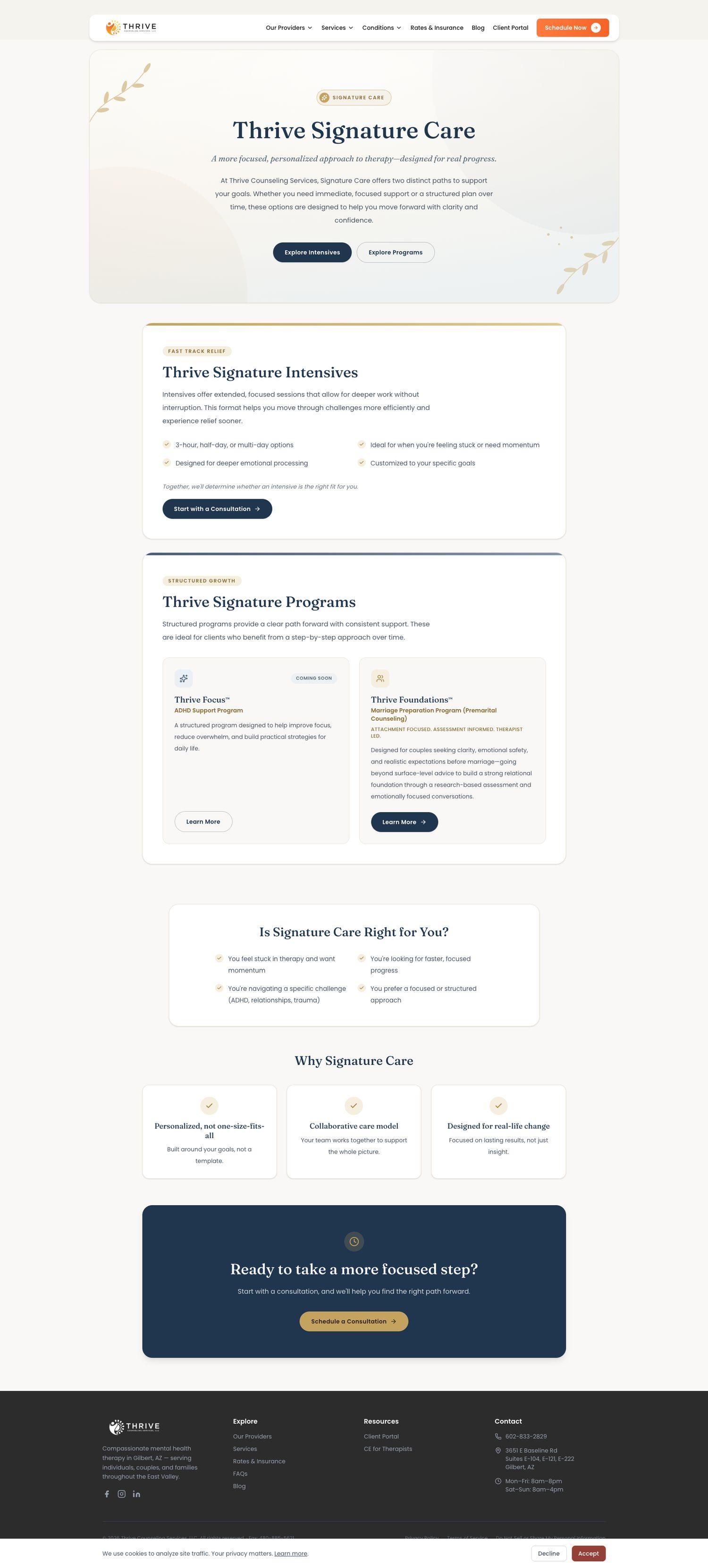
Signature Care moved from a buried service page into a premium-feeling offer with clearer paths, cards, and calls to action.
Before & After
Drag each slider to compare the old page with the rebuilt TheraSaaS version.
The homepage kept the familiar brand direction, but made the first impression more authoritative and the consultation path clearer.
The old providers page asked clients to browse a long roster. The rebuild gives prospective clients a faster way to sort through about 18 providers and find a better fit.

Amanda's profile changed from a long bio into a conversion-focused clinician page with clearer sections, service links, helpful resources, and a stronger appointment path.
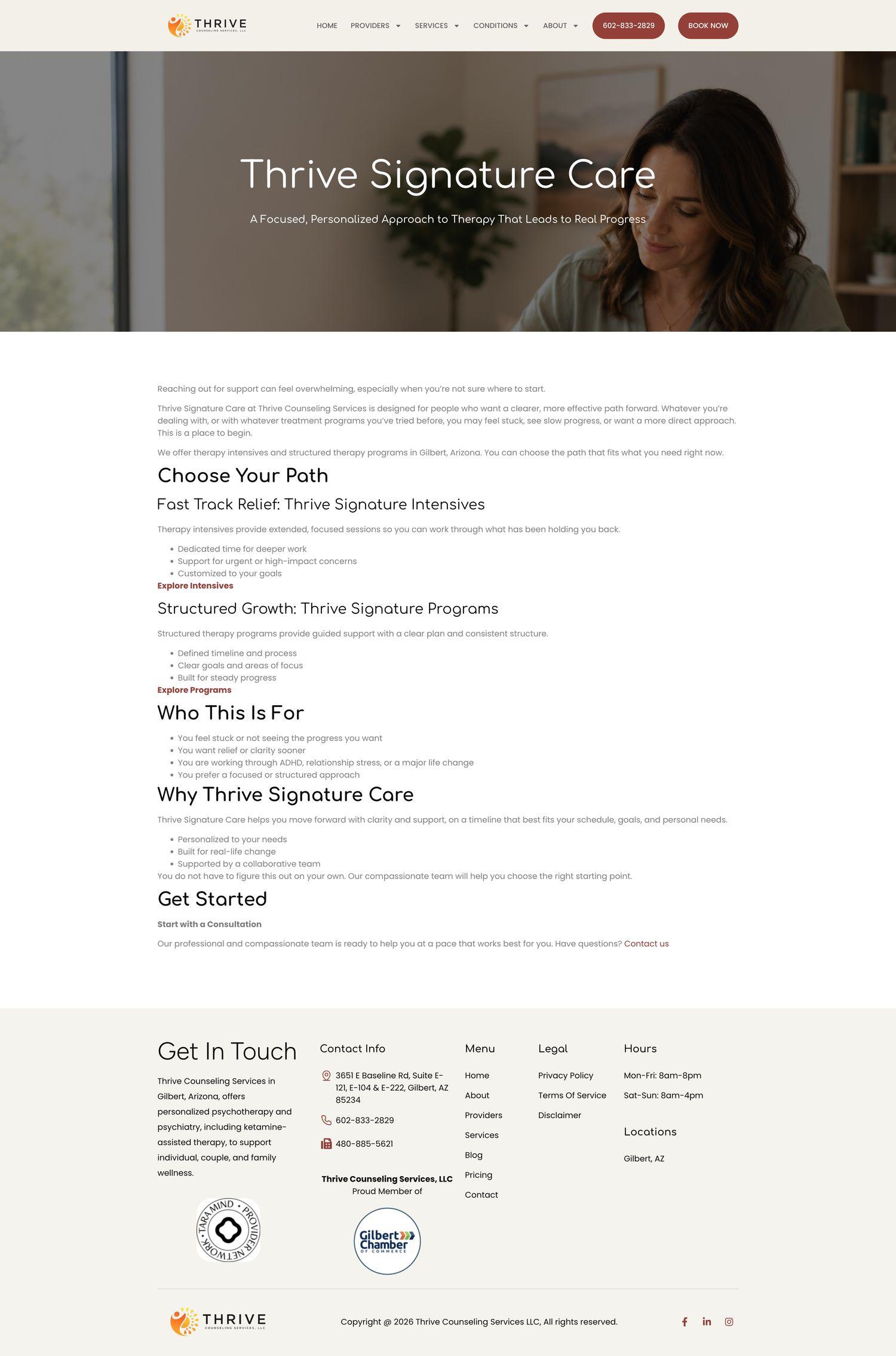
The Signature Care page moved from basic long-form copy into a more premium service page with separate paths for intensives and programs.
Video Walkthrough
This walkthrough shows how the rebuild improved the homepage, moved calls to action into TheraSaaS, added provider filtering, upgraded clinician profiles, elevated Signature Care, and preserved the website’s SEO value.
The Outcome
The rebuild kept Thrive’s content footprint intact while making the experience more focused, more professional, more connected to TheraSaaS, and easier for prospective clients to act on.
Clients can filter the provider team by what they need instead of comparing every therapist manually.
Service and clinician pages now turn long content into readable sections that support decision-making and internal next steps.
More than 100 pages and posts were moved carefully, while key calls to action were connected into TheraSaaS.
Premium Website Build
TheraSaaS Premium turns your website into a professional, connected part of your client acquisition system.